Squid proxy on cluster box no longer works after system upgrade

After the last firmware upgrade for the control board, the Squid proxy (current version: 6.7-2) no longer starts. The cause of this error may be the config files, which are now autogenerated by the init script, so that I can no longer use the old config file. Now, /etc/squid/squid.conf looks like this:

http_port 3128
coredump_dir /tmp/squid
visible_hostname clusterbox
pinger_enable off
mime_table /etc/squid/mime.conf

Many things lack here, particularly the path to the logfile. In this case, Squid takes a default, which is wrong, as the corresponding folder simply does not exist:

2026/05/21 17:02:45| Logfile: opening log daemon:/var/logs/access.log
2026/05/21 17:02:45| Logfile Daemon: opening log /var/logs/access.log
2026/05/21 17:02:46| ERROR: logfileHandleWrite: daemon:/var/logs/access.log:
error writing ((32) Broken pipe)
2026/05/21 17:02:46| FATAL: I don't handle this error well!

Even a softlink from /var/log to /var/logs did not help. Neither can I make an entry in the central config file /etc/config/squid, as it’s simply ignored:

option access_log '/opt/squid/log/access.log'

I’ve also informed the Squid maintainers, but they say this is not a bug in Squid itself, but a “feature” in the particular build: Bug 5540 - Squid looks for log file in non-existing directory: /var/logs/access.log

So: Who can improve the Squid build and possibly the config file generation process?

Update: When not using the proxy, transmitting even mid-sized chunks of data (during a software upgrade of one of the nodes, for instance) leads to a crash of the whole cluster without an error message, even after flashing the control board with the new OS image. So, the proxy is absolutely necessary.

And: After the control board firmware update, Squid does run stand-alone, but the init script still fails:

mixtile@ClusterBox:~$ sudo /etc/init.d/squid restart
validation failed


The new version of OpenWrt is functioning properly. Please first check your configuration. If the problem persists, you can clear all data to perform a reset.

I’ve already done the reset (after a system backup, of course). The culprit turned out to be the init script for Squid, which autogenerates the config file ‘/etc/squid/squid.conf’ from the central config file /etc/config/squid and ignores most statements. I had to change a bit for this script to run flawlessly but now it works.
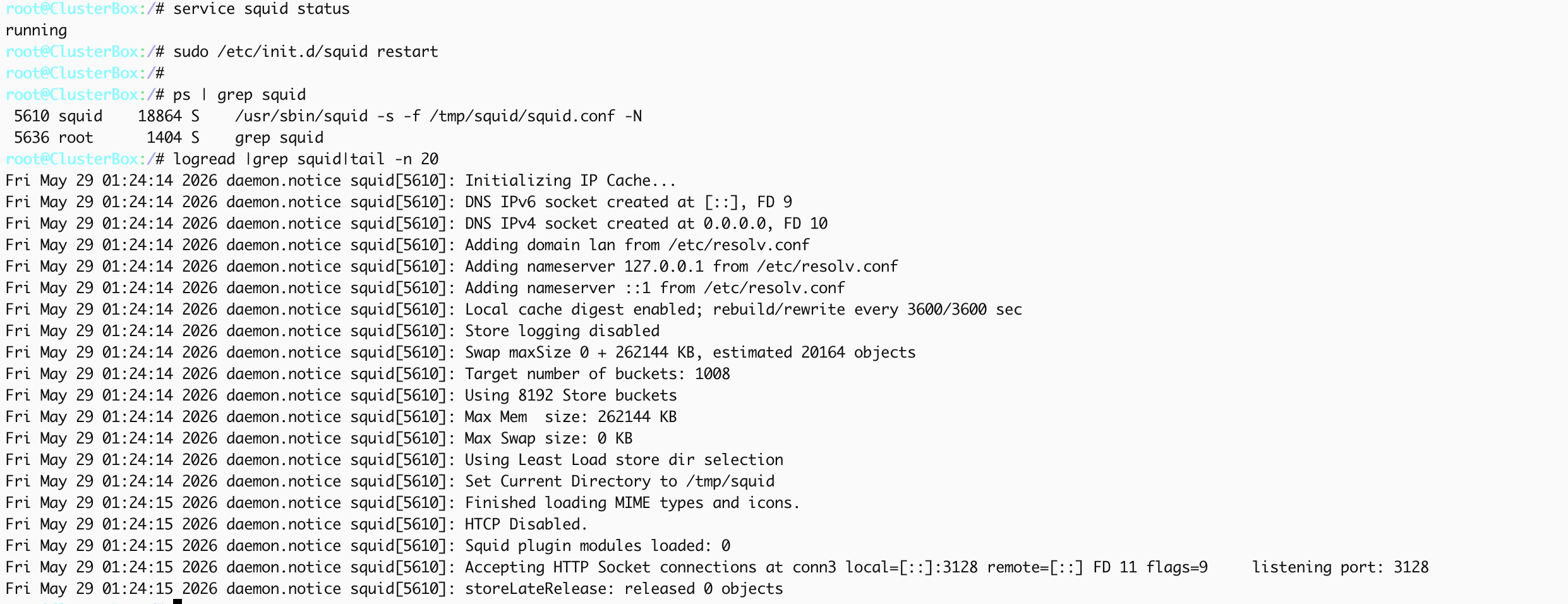
This is the config I’d need:

config squid 'squid'
        option config_file '/etc/squid/squid.conf'
        option http_port '3128'
        option coredump_dir '/tmp/squid'
        option visible_hostname 'clusterbox'    # All entries after this mark are ignored.
        option cache_dir 'aufs /opt/squid/cache 10000 16 256'
        option cache_mem '128 MB'
        option maximum_object_size '8192 MB'
        option maximum_object_size_in_memory '80 MB'
        option cache_effective_user 'squid'
        option mime_table '/opt/squid/mime.conf'
        option access_log '/opt/squid/log/access.log'
        option cache_log '/opt/squid/log/cache.log'
        option cache_store_log '/opt/squid/log/cache_store.log'